Cherry Studio
Connect Cherry Studio to the LMU AI API and set up Claude, Chinese, and OpenAI model channels, with a direct overseas connection.
Cherry Studio is a multi-model AI desktop client.
Download and install
- Desktop official site: https://www.cherry-ai.com/
- Mobile (Android & iOS): https://github.com/CherryHQ/cherry-studio-app/releases
- Android: download the
.apkfile - iOS: download the
.ipafile
- Android: download the
The mobile install process is much like the desktop one — take a closer look and you'll find it.
The two protocols
LMU AI supports two connection protocols; choose one based on the model type:
| Protocol | Models |
|---|---|
| Anthropic | Claude models, Chinese models (DeepSeek, Qwen, etc.) |
| OpenAI-Response | OpenAI models (GPT-4, GPT-5, etc.) |
Method 1: Anthropic protocol (Claude and Chinese models)
Step 1 — Add a provider
Go to Cherry Studio Settings → click Add Provider:
- Provider name: anything you like (e.g.
LMU AI) - Provider type: select
Anthropicfrom the dropdown
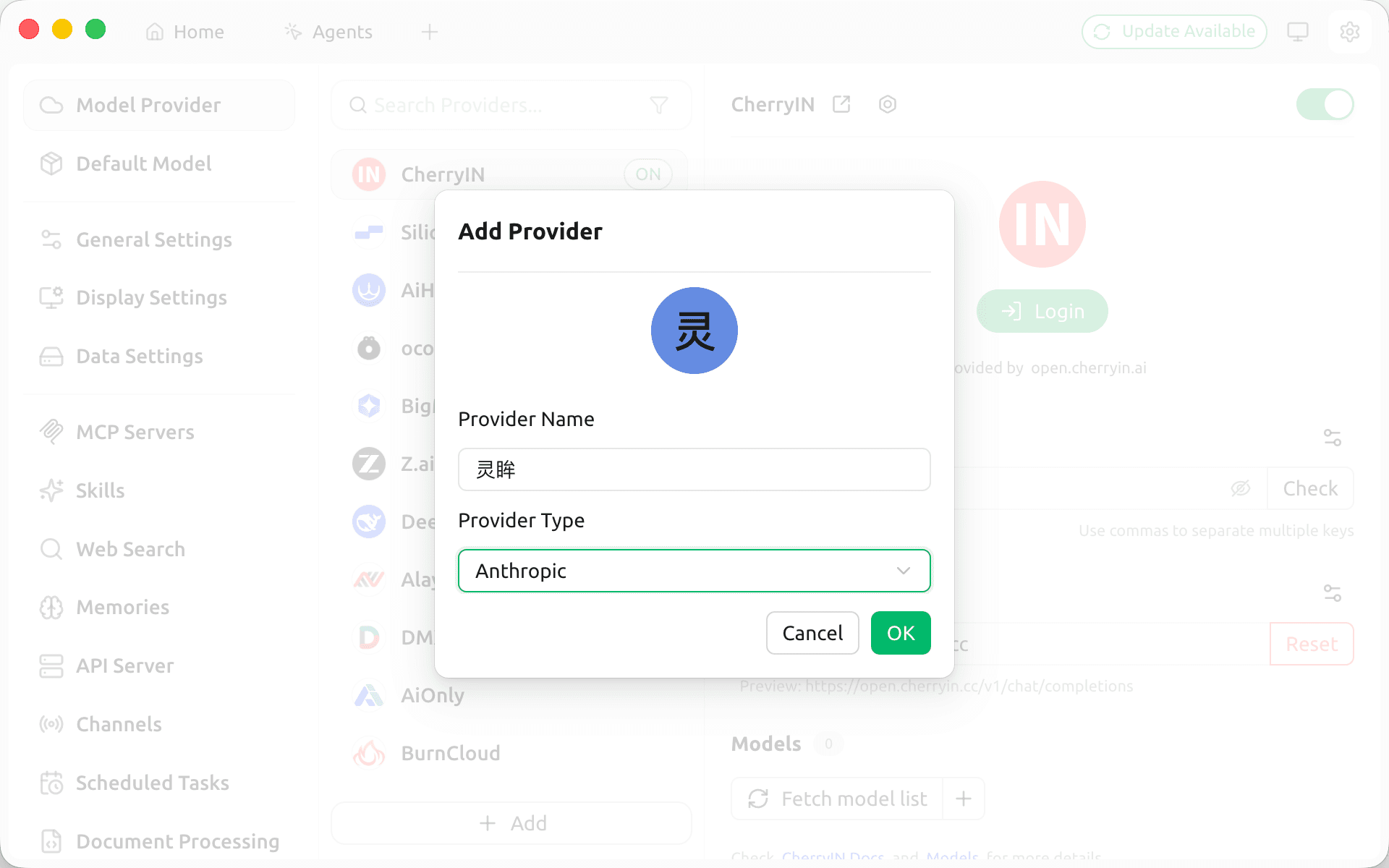
Step 2 — Enter the API details
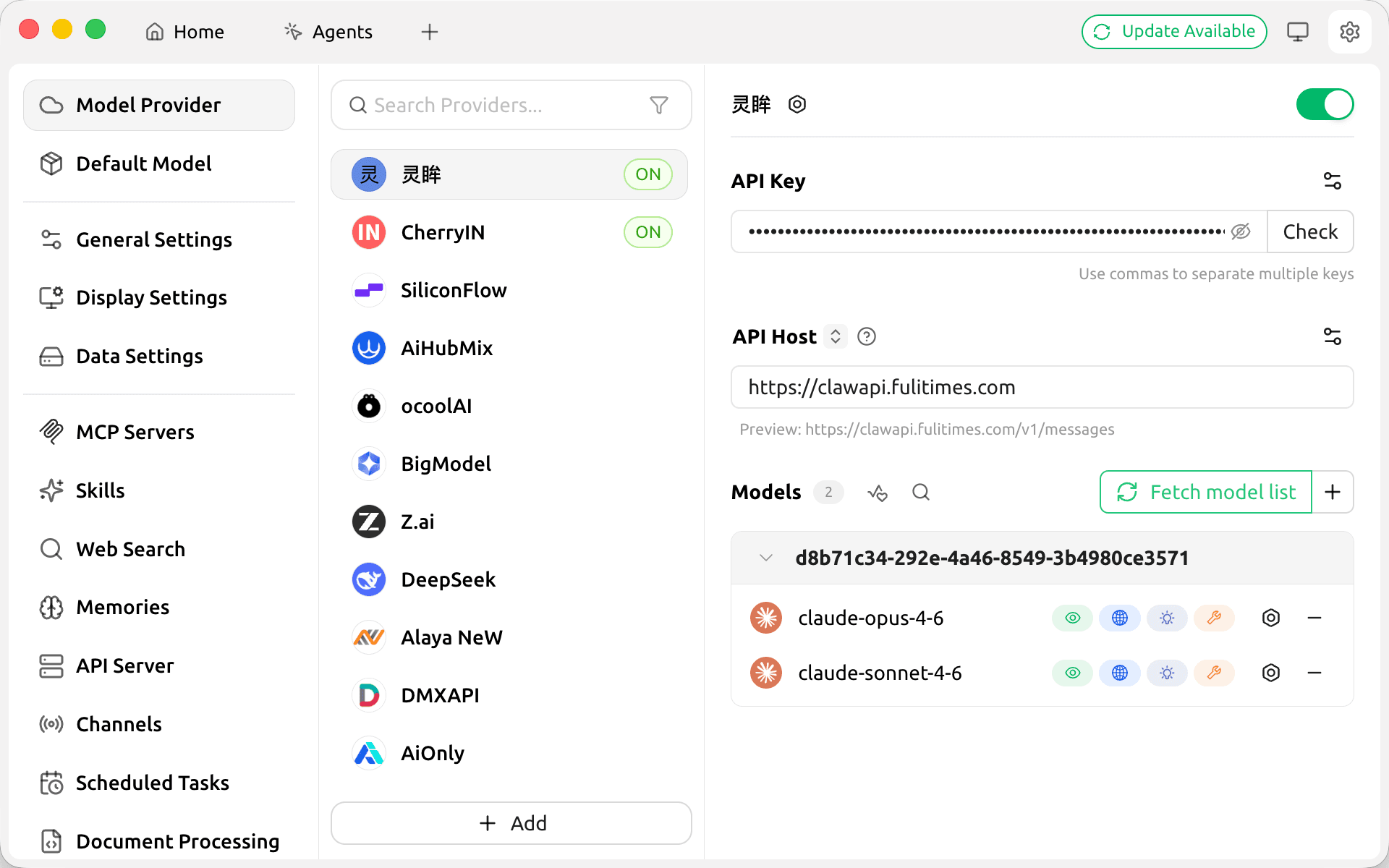
- API Key: enter the
sk-key generated in the console - API Host: enter the API relay request address
https://api.lmuai.aiClick Fetch model list to retrieve the available models; the Claude series and Chinese models load automatically.
Method 2: OpenAI-Response protocol (OpenAI models)
Step 1 — Add a provider
Go to Cherry Studio Settings → click Add Provider:
- Provider name: anything you like (e.g.
LMU AI) - Provider type: select
OpenAI-Responsefrom the dropdown (the second option, not the first OpenAI)
Step 2 — Enter the API details
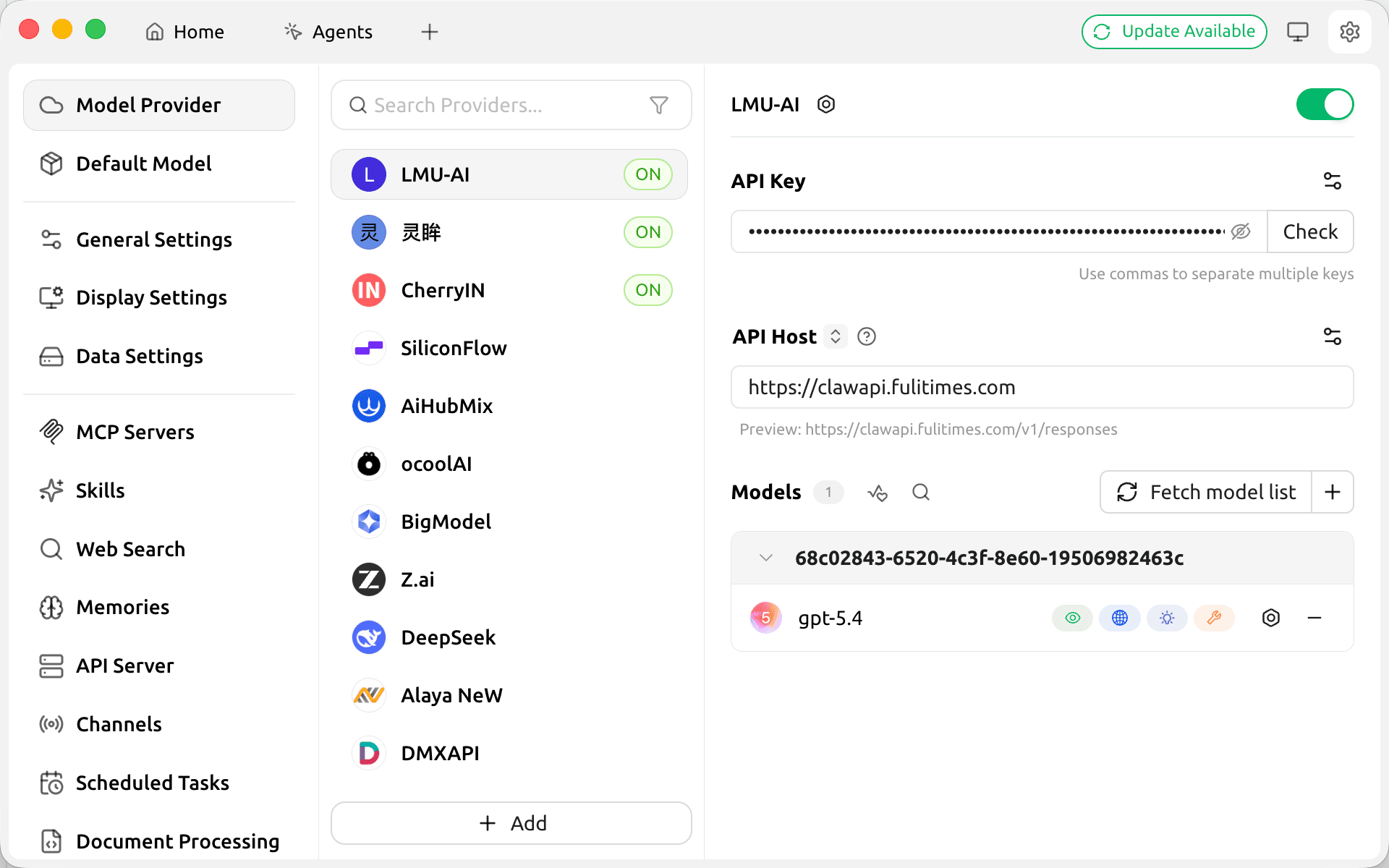
- API Key: enter the
sk-key generated in the console - API Host: enter the API relay request address
https://api.lmuai.aiClick Fetch model list to retrieve the available models; the GPT series loads automatically.
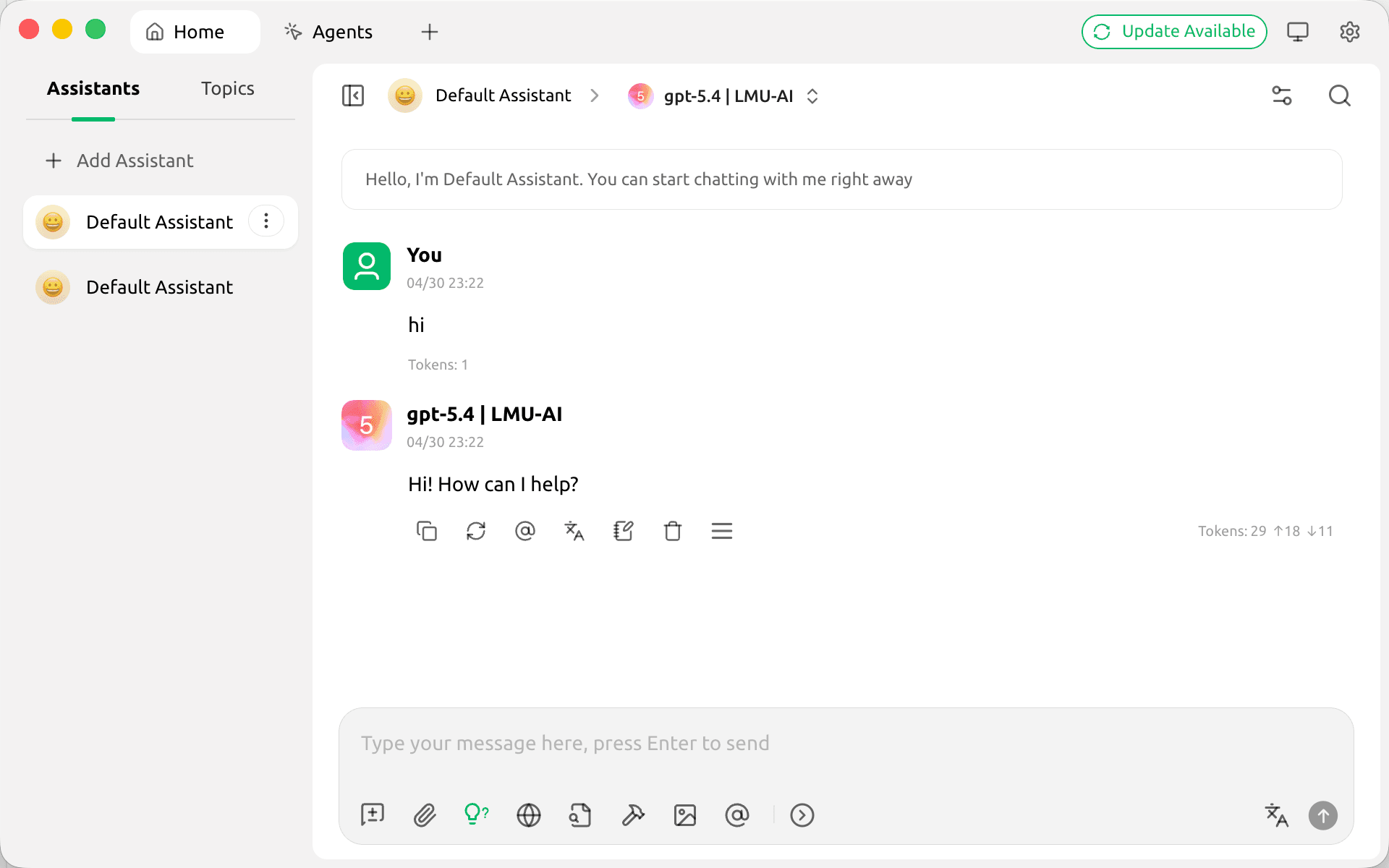
Once configured, you can select and use the model in the chat screen:
Notes
- The same API Key and API Host work for both protocols; just add two providers as needed
- For the OpenAI-Response type, be sure to pick the second option, not the first OpenAI
- Enter the API relay address as the API address; do not enter the official OpenAI or Anthropic address
Last updated:
Still have questions? Ask in the LMU AI Community (in Chinese) and sign in with your console account.
Get an LMU AI key and start using Claude, Codex and more
Free sign-up, flexible plans, one key across Claude Code, Codex CLI, Cursor, VS Code, OpenCode, Cherry Studio and other AI tools.
Sign up